
Kidduca: Kids Learning Games
Play & Learn: Online Educational Apps for Kids 2–7Educational
4.33.00 Reviews
- Version
- 1.7.27
- Installs
- 10.00K
- Age Rating
- Everyone
Screenshots
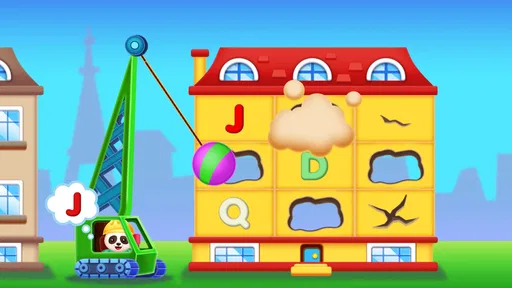
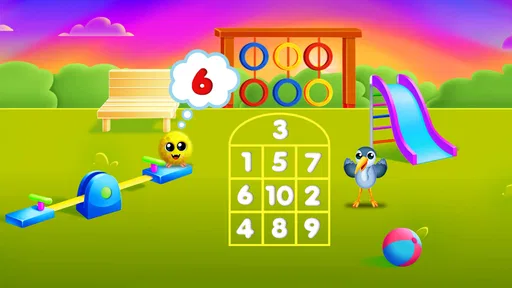

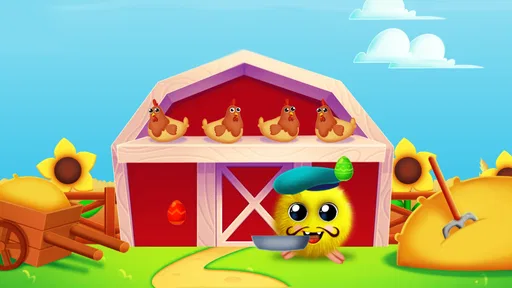
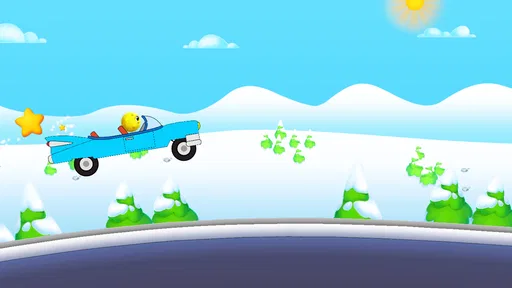
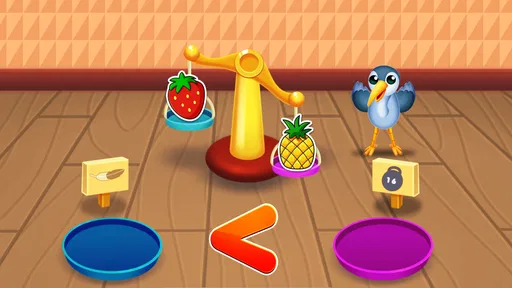
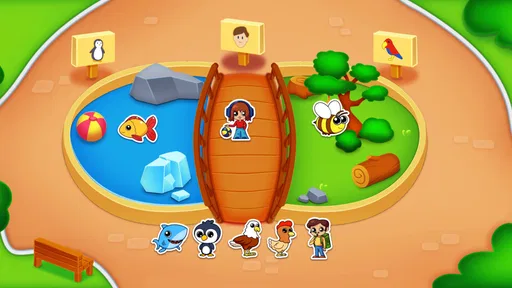
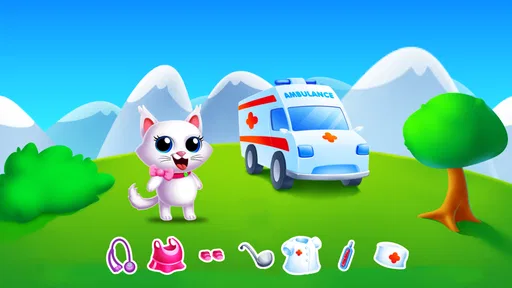
Our Review of Kidduca: Kids Learning Games
 Analysis by Appyee
My first impression of Kidduca: Kids Learning Games was that it understands a useful truth about early learning: a young child usually wants to play before wanting to study. The game brings together activities built around numbers, letters, shapes, colors, and puzzles, so it feels more like a small collection of playful exercises than a traditional lesson. That makes it easy to introduce during a quiet afternoon, a short wait, or a few minutes before bedtime.
I reviewed it as an educational game for toddlers and young children, and I think its strongest quality is accessibility. The intended audience begins at age two, while the content rating is Everyone, so families looking for a gentle first learning app will immediately understand where it fits. It is free to start, which lowers the risk of trying it with a child who may lose interest quickly. The important question, though, is not whether it can entertain a child once. It is whether it remains useful after the first week, when the bright novelty has worn off.
What the first week feels like
During the first few sessions, the variety does most of the work. A child can move from recognizing a number to identifying a color, then try a shape activity or a simple puzzle. That change of subject helps prevent the experience from feeling like one long drill. For a parent, this is convenient because the app can match different moods: a child who is not ready for letters may still be willing to sort colors or complete a puzzle.
I would not treat the game as a replacement for talking, drawing, handling physical objects, or reading together. Its value is more practical and modest. It gives a child a repeatable way to encounter early concepts, while an adult can reinforce them away from the screen. After a color activity, for example, I would point to objects in the room and ask the child to find another item with the same color. That simple follow-up turns screen time into a starting point rather than an isolated activity.
The number and letter content is best suited to short, relaxed practice. At this age, children often need repeated exposure before an idea becomes familiar, and a game can make repetition less frustrating than a worksheet. Still, I would avoid presenting every session as a test. If a child begins tapping randomly, rushing, or asking to leave, I would switch activities or stop. The game works better as an invitation than as a compulsory lesson.
One useful first-week routine is to let the child choose between two areas instead of opening everything at once. Offering “letters or puzzles?” gives a small sense of control while keeping the session focused. I also found that naming the skill out loud matters: “You found the triangle” or “That is the blue one” connects the visual task with language. This is a small adjustment, but it makes the app more valuable for a child who is still building vocabulary.
The developer, Play & Learn: Online Educational Apps for Kids 2–7, has positioned the game around a broad early-learning range rather than a narrow school subject. That breadth is helpful for families with children at different stages, but it also means the experience may feel uneven. A two-year-old and a seven-year-old do not need the same kind of challenge. Younger children may appreciate the simple recognition activities, while older children could move through familiar material quickly.
That age spread is the first trade-off I noticed. The game is approachable because it does not begin with complicated instructions, yet an older preschooler may not find every section demanding enough for long sessions. I would use it with younger children as a guided discovery tool and with older children as light review or a change of pace, not as a complete curriculum.
How to make the opening sessions more useful
Short sessions are more productive than leaving the game running in the background. I would choose one small goal, such as practicing shapes, and then stop while the child is still comfortable. This keeps the activity from becoming associated with boredom. It also gives parents a clearer sense of what the child recognizes independently and what still needs help.
Another practical approach is to alternate digital and physical play. After using the color activities, sort socks or building blocks by color. After a shape activity, look for circles, squares, or triangles around the home. After a counting exercise, count spoons or toys together. These transitions are where the game earns its place, because the child is encouraged to apply an idea instead of merely tapping the correct answer.
I would also sit nearby during the first few uses. A toddler may understand the concept but struggle with the timing or the touch controls. Watching closely helps an adult distinguish between “does not know this” and “cannot complete this interaction yet.” That distinction prevents unnecessary pressure and makes the game feel supportive rather than corrective.
Whether it still helps from month to month
The longer-term value depends on how a family uses it. If a child simply repeats the same favorite activity without any conversation or variation, the learning benefit may flatten. If the app becomes one small part of a routine, it has a better chance of remaining useful. I see it working best as a flexible five-minute option, not as the centerpiece of a daily educational plan.
Its collection of early concepts gives it more staying power than a single-purpose counting game. A child can return to letters after spending time with puzzles, or revisit shapes when those ideas appear in everyday play. The range also helps when attention changes from day to day. A child who refuses number practice may willingly engage with colors, and that still keeps the learning habit alive.
However, variety alone does not guarantee progression. Parents should watch for signs that an activity has become too easy: instant answers, random tapping followed by success, or a child losing interest immediately. When that happens, the best response may be to connect the activity to a harder real-world question rather than simply extending screen time. Ask the child to find three objects, describe a shape, or identify a letter on a book cover.
This is where I think the game has recurring value but limited depth. It can support recognition and repetition, especially for a young learner who benefits from seeing the same ideas in different forms. It is less convincing as a stand-alone path through early education. Families wanting detailed progress tracking, a carefully staged curriculum, or extensive teacher-style explanations may prefer a more specialized learning platform.
The current version is 1.7.27, and the game runs on devices using Android 8.0 or later. That makes it relevant for families using an older compatible phone or tablet rather than requiring a very recent device. Before handing over a personal device, I would still prepare the screen carefully: remove distractions, set a session boundary, and make sure the child cannot accidentally leave the activity or open unrelated content.
Because the game is free, it is easy to test without committing money immediately. There are in-app purchases ranging from $6.99 to $55.99 per item, so parents should pay attention during setup and purchasing decisions. I would not let a young child explore purchase screens alone. The free starting point is a genuine advantage, but the presence of optional paid items means the adult should remain in control of the device and account.
Where it fits beside ordinary alternatives
Compared with paper worksheets, the game is more inviting for a child who resists sitting down with a pencil. It offers quick changes between concepts and can be used when carrying paper materials is inconvenient. Worksheets, on the other hand, develop different skills, including pencil control and the patience to complete a physical page. I would use both rather than treating them as competitors.
Compared with videos, this game should be more active because the child has to respond instead of only watching. That does not automatically make every minute more educational, but it gives parents a better opportunity to see what the child understands. A video may be useful for introducing a song or story; this game is more appropriate when the child needs to practice recognizing and choosing.
Compared with physical puzzles and blocks, the app is easier to repeat and easier to carry. Physical play remains richer for touch, movement, and shared conversation, though, so I would not replace it with a screen. The strongest routine is a blend: use the game to introduce or review an idea, then use household objects or toys to make that idea tangible.
Specialized apps may be better for a child with a very specific need. For example, a child who is already comfortable with colors but needs sustained letter practice may benefit more from a focused literacy tool. A child who needs open-ended creativity may get more from drawing or building activities. Kidduca is most useful when a family wants a broad, low-pressure sampler of early concepts rather than a deep course in one area.
The maintenance burden parents should expect
The daily maintenance is not complicated, but it is real. The adult needs to decide when the game is appropriate, choose a reasonable session length, and check whether the child is actually engaging with the concept. Without that involvement, the app can become another source of automatic tapping. The younger the child, the more important this supervision becomes.
I would keep the game in a defined routine instead of using it every time the child is restless. For instance, it could be available after a short shared activity, during a waiting period, or as part of a calm transition. If it appears whenever a child complains, the app may become associated with instant distraction rather than learning. A predictable place in the day makes it easier to stop without an argument.
Parents should also refresh the surrounding activity, not necessarily the app itself. One week, connect puzzles to matching household objects; another week, focus on finding letters in storybooks. This reduces repetition while preserving the same basic learning goals. The game supplies the prompt, but the adult supplies the context that keeps the prompt meaningful.
There is also a practical device-management burden. Since the audience includes very young children, I would use a child-safe setup and stay close enough to help with accidental taps. I would not assume that a child can manage navigation, understand purchase prompts, or know when to stop. Those responsibilities remain with the adult, and they affect whether the app feels convenient in real family life.
What can cause fatigue over time
The first source of fatigue is repetition without a new purpose. Early learning naturally involves repetition, but a child needs some change in the surrounding challenge. If the same activity is offered in exactly the same way every day, the child may memorize the interaction rather than understand the idea. That is why I would use the game briefly and then ask a related question away from the screen.
The second is the wide age range. Material that feels reassuringly simple for a toddler may feel slow to an older preschooler. Families with siblings may find that one child enjoys the game while another needs more advanced material. In that situation, I would avoid forcing both children into the same session. The app can be a good shared starting point, but it may not serve both children equally for long.
The third is parental expectation. Because the game covers several important topics, it can look like a complete educational package at first glance. In practice, I would judge it as a supplement. It does not replace conversation, books, physical play, handwriting practice, or individualized support. Expecting it to handle all of those jobs is likely to make its limitations feel larger than they are.
The paid content can create another point of friction. Free access makes experimentation easy, but families should decide in advance whether they are comfortable with purchases and who is allowed to approve them. I would treat the free portion as a trial of the style and the child’s interest, then make a deliberate decision rather than buying simply because the child asks in the moment.
The store rating is a 4.3 average from around 126 ratings, with 10K-plus installs and three written reviews. Those figures suggest that the game has found an audience, but they do not tell me whether it will suit a particular child. A child’s age, patience, motor skills, and preferred learning style matter more than popularity here. I would use the free entry point to judge fit personally.
My long-term verdict
After the novelty fades, I think Kidduca remains worthwhile when used as a small, supervised part of a broader routine. Its strongest qualities are its approachable early-learning themes, its mix of numbers, letters, shapes, colors, and puzzles, and the low barrier created by free access. It is especially suitable for a toddler who enjoys tapping through simple activities and for a parent who wants an easy way to start conversations about basic concepts.
I would recommend it to families looking for a gentle first educational game, particularly when the goal is exposure and repetition rather than formal measurement. It can also be useful during short gaps in the day, provided the adult turns the activity into a bridge toward real-world play. Those brief connections are what give the app more lasting value than a disposable distraction.
I would skip it, or at least look elsewhere first, if your child needs advanced challenges, detailed learning reports, a tightly sequenced lesson plan, or a single-minded focus on reading or mathematics. It is also not the right answer for families trying to eliminate screen use altogether. Physical materials and shared activities remain better choices for many learning goals, especially when touch, movement, handwriting, or social interaction are central.
My final judgment is positive but measured: this is a useful starter game, not a complete early-learning system. The free price makes it reasonable to try, while the optional purchases mean adults should manage access carefully. If you keep sessions short, vary the follow-up activities, and stop before the child becomes tired, it can earn a regular place in the routine. If you expect it to provide endless novelty or replace hands-on learning, its limits will become clear quickly.
For my own recommendation, I would install it for a younger child, explore the activities together, and decide after several calm sessions whether the child returns willingly and can carry ideas from the screen into ordinary play. That is the real test of recurring value. When the game encourages a child to notice a shape on a walk, count toys, or recognize a letter in a book, it is doing its job well. When it becomes only repetitive tapping, it is time to put the device away and choose something more active.
Verdict
Strengths of Kidduca: Kids Learning Games
- Bright, child-friendly visuals make lessons easy to follow.
- Short activities suit young children’s limited attention spans.
- Covers several early-learning topics in one app.
- Simple controls let children navigate with little help.
- Rewards and playful feedback can encourage regular practice.
Limitations of Kidduca: Kids Learning Games
- Some content may be locked behind in-app purchases.
- Repetitive tasks could lose appeal for older children.
- Requires parental supervision to manage playtime effectively.
- Learning depth may be limited compared with dedicated subject apps.
- Performance can vary on older or less powerful devices.
Other Releases by Play & Learn: Online Educational Apps for Kids 2–7
View All
Kidduca 3D:Kids Learning Games
Educational4.6
Similar Picks in This Category
View All
Little Panda Policeman
BabyBus4.0

Monster Trucks Game for Kids 2
Raz Games4.1

Little Panda's Chinese Recipes
BabyBus4.4

Little Panda's Restaurant
BabyBus4.4

Little Panda's Ice Cream Games
BabyBus4.3

Baby Panda Care
BabyBus3.8
Frequently Asked Questions
What is Kidduca: Kids Learning Games?
Kidduca: Kids Learning Games is an educational app designed to make early learning more enjoyable through interactive activities and simple games. It generally focuses on skills such as letters, numbers, colors, shapes, memory, problem-solving, and basic vocabulary. The child-friendly presentation is intended to help young learners practice at their own pace while keeping sessions entertaining rather than feeling like traditional homework.
What age group is Kidduca suitable for?
Kidduca is mainly aimed at preschool and early elementary-age children, although the ideal age can vary depending on a child’s reading ability, attention span, and previous learning experience. Younger children may need help navigating menus or understanding instructions, while older children may use the activities for revision. Parents should review the store description and in-app content to confirm that the difficulty matches their child.
Does Kidduca require an internet connection?
Some features of Kidduca may work without a constant internet connection once the application and its learning content have been installed, which is useful for travel or limiting screen-time distractions. However, internet access may still be required for downloading additional activities, receiving updates, restoring purchases, or displaying certain advertisements. It is best to open the app once while connected and test the activities before using it offline.
Is Kidduca safe for children to use?
Kidduca is presented as a children’s learning app, but parents should still check its privacy information, permissions, advertising policy, and any external links before allowing independent use. Depending on the version and region, the app may include parental controls, purchases, or third-party services. Supervising the first sessions is recommended, especially for younger children, so parents can confirm that the content and navigation are appropriate.
Is Kidduca free, and does it include in-app purchases?
Kidduca may be available to download at no initial cost, but free access does not always mean that every activity is unlocked. Some versions of educational apps use advertisements, premium packs, subscriptions, or one-time purchases to provide additional games and remove restrictions. Before downloading, parents should check the current Google Play or App Store listing and review purchase settings to avoid unexpected charges.
Play our best games!


